For retail
One stock number, every counter
Sell fast at the till, know what is on the shelf before a customer does, and see every branch without switching systems.
- Works offline
- Any tablet or desktop
- Multi-branch
The usual setup
Every system disagreeing about one shelf
Most shops are not missing a tool. They are running several that never reconcile until someone does it by hand.
One workspace, one stock number
A sale at any till moves the same inventory the reorder alert, the branch view, and the month-end report all read from.
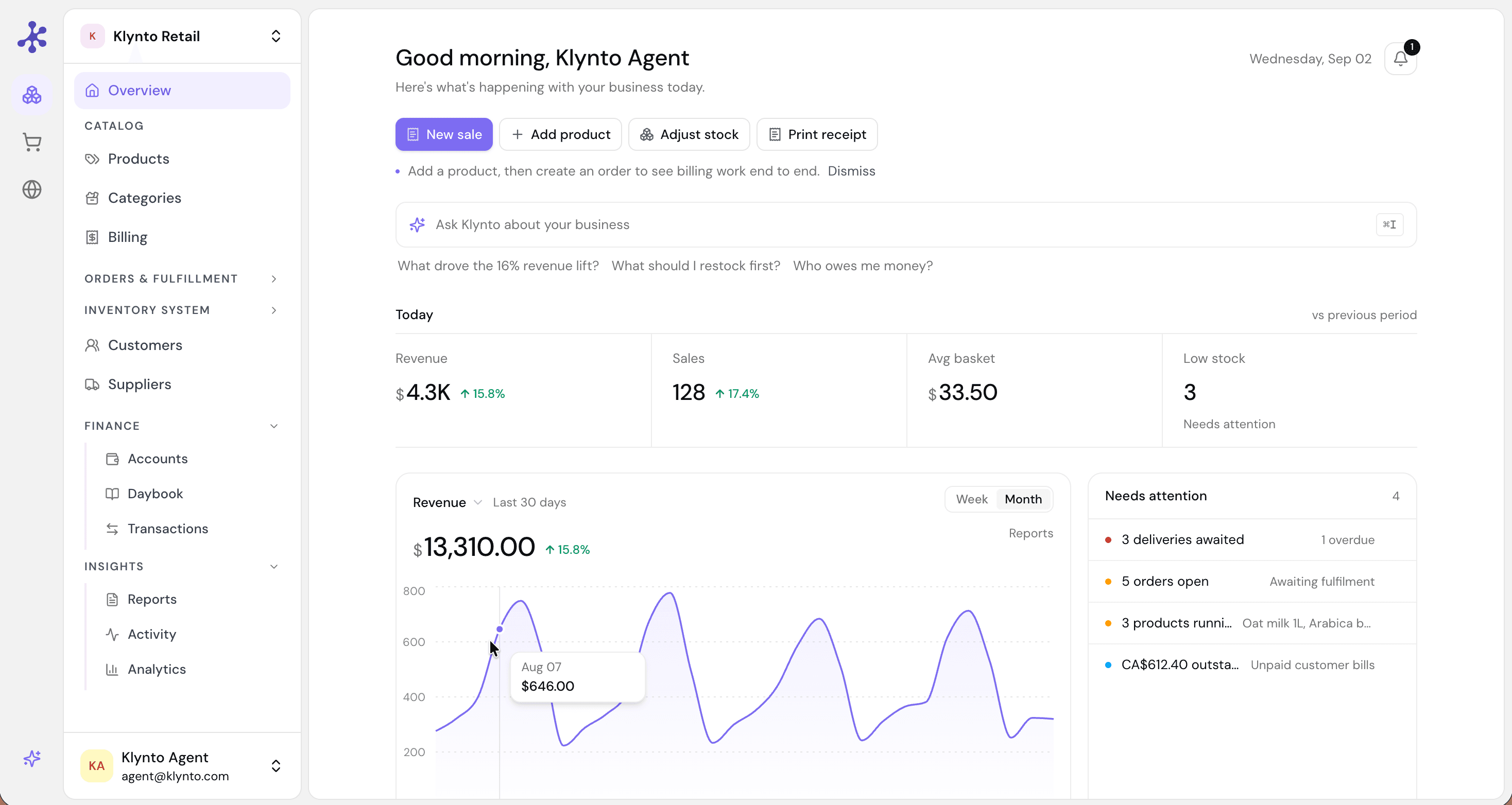
One workspace: catalog, orders, inventory, and finance reading from the same records.
What changes
Three things a shop notices first
A queue that keeps moving
Add items, apply a discount, and take payment without leaving the keypad. It runs on the tablet or desktop you already own, and it keeps selling through an internet outage — so a bad connection is not a closed till.
- Checkout on any tablet or desktop
- Cash, card, split, and custom tenders
- Keeps working offline, syncs on reconnect
Reordering before the shelf is empty
Set a reorder point per product and Klynto tells you when you cross it. The purchase order goes to the supplier from the same screen, so noticing and acting are not two separate jobs on two different days.
- Reorder points per product
- Alerts before you hit zero
- Purchase orders sent from the inventory screen
Branches you can actually compare
Switch between shops, compare how they are performing, and move stock from the one that has it to the one that needs it — without a separate login or a reconciliation call at the end of the week.
- Every branch in one view
- Stock transfers between locations
- Per-branch and combined reporting
Included
What comes with the shop
Fast POS
Checkout on any device, online or offline.
Live inventory
Stock updates on every sale and return.
Low-stock alerts
A warning before you reach zero, not after.
Purchase orders
Send a PO from the inventory screen.
Multi-location
One view and stock transfers across branches.
Customer records
Purchase history and contact details.
Sales reports
Revenue and margin by day, week, or month.
AI insights
Slow movers and demand, from your own numbers.
Before you switch
What shop owners ask
Put it behind the counter
Import a catalog, open a till on a tablet, and run a real afternoon through it.